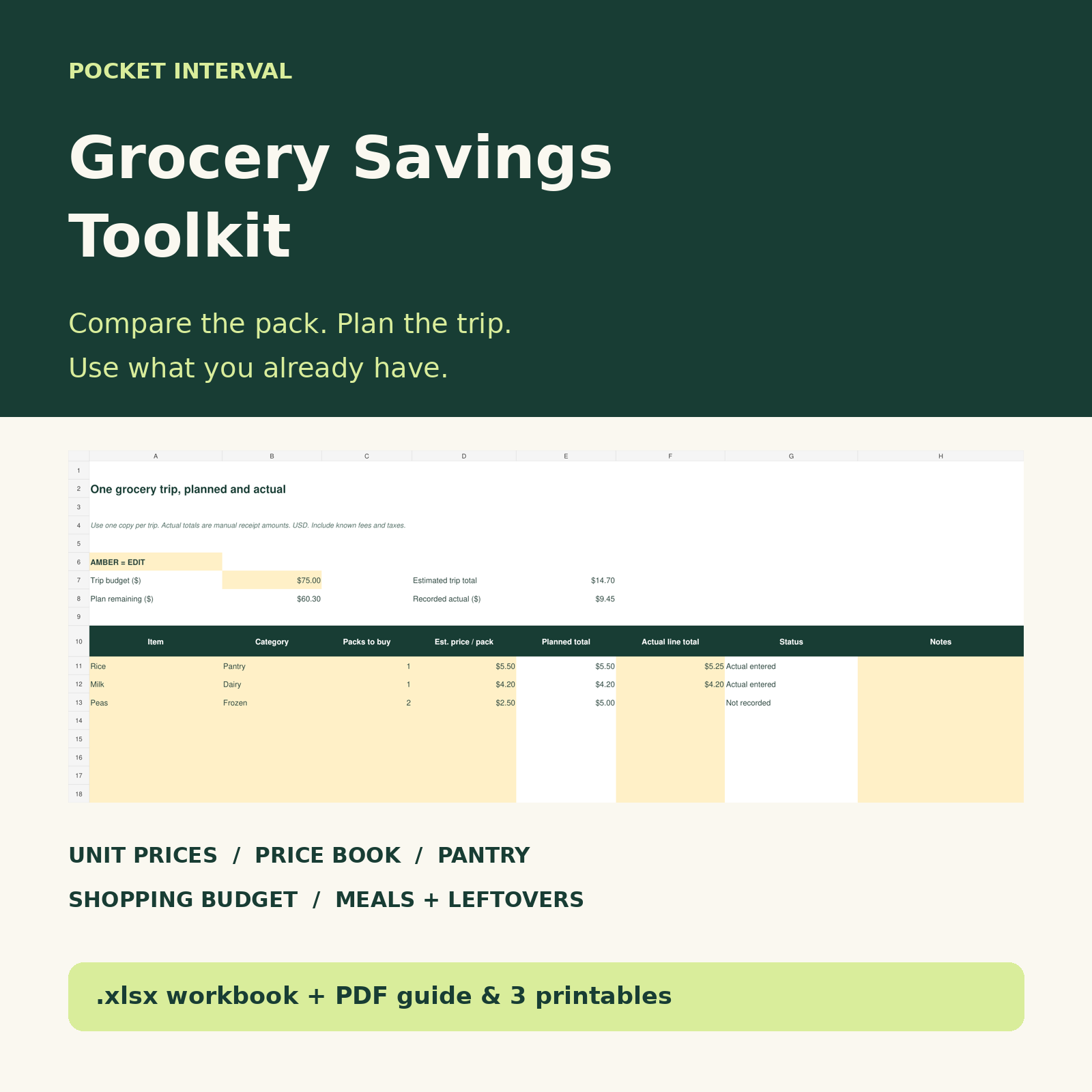
Five ways to make the next trip clearer
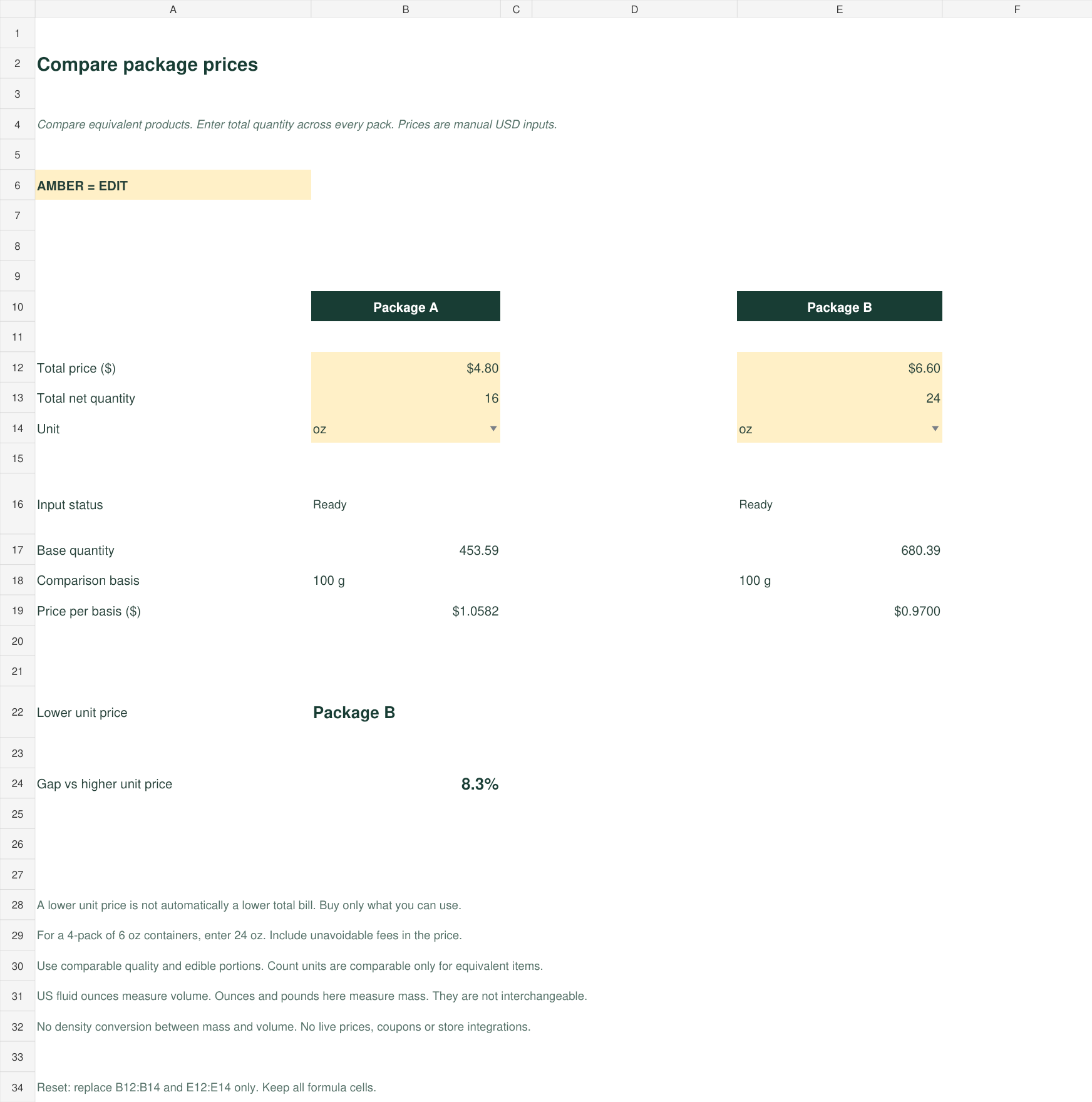
1. Compare package prices on the same basis
Enter the total price and net quantity for two equivalent offers. Compare mass by price per 100 g, volume by price per 100 mL, or equivalent count items by price per each. Supported units are g, kg, oz, lb, mL, L, US fl oz and each. Mass and volume are never mixed.
2. Keep a personal grocery price book
Record up to 50 dated item and store observations. Formula-driven unit prices help compare different package sizes. The observations are manual; they do not promise a store’s current price.
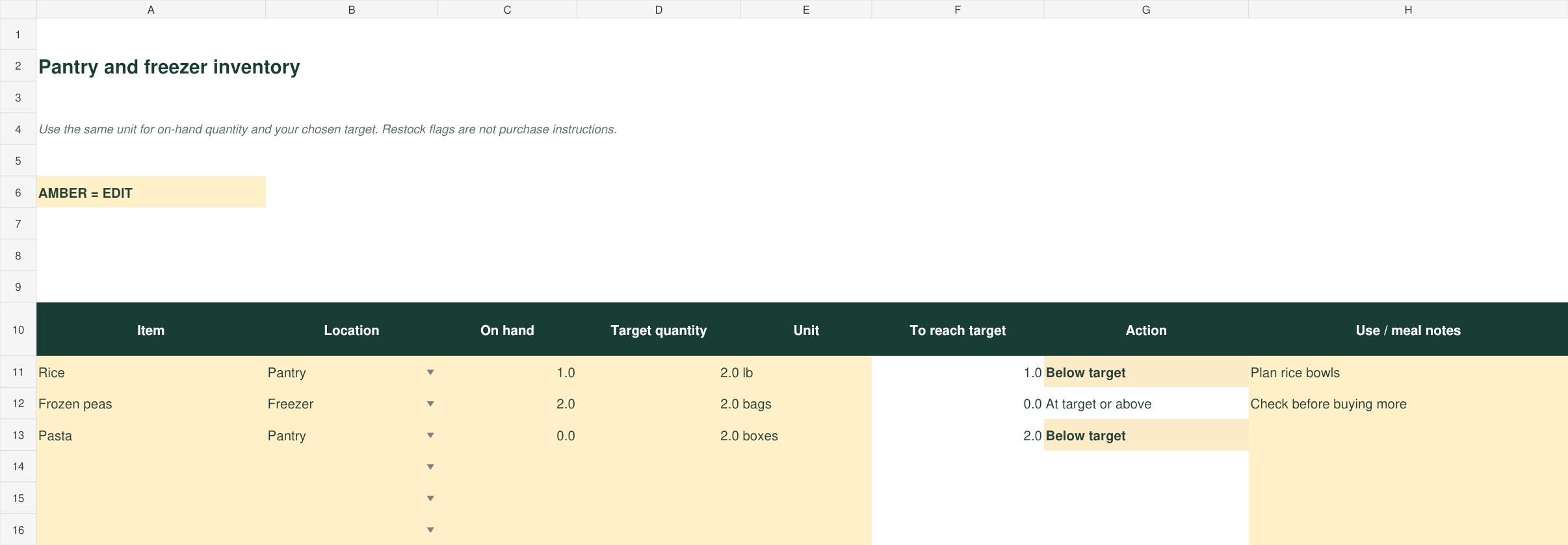
3. Check the pantry before buying more
Track up to 40 pantry, fridge or freezer items. Enter what is on hand and your own target quantity to see a restock gap. A below-target flag is a prompt to review, not an instruction to buy.
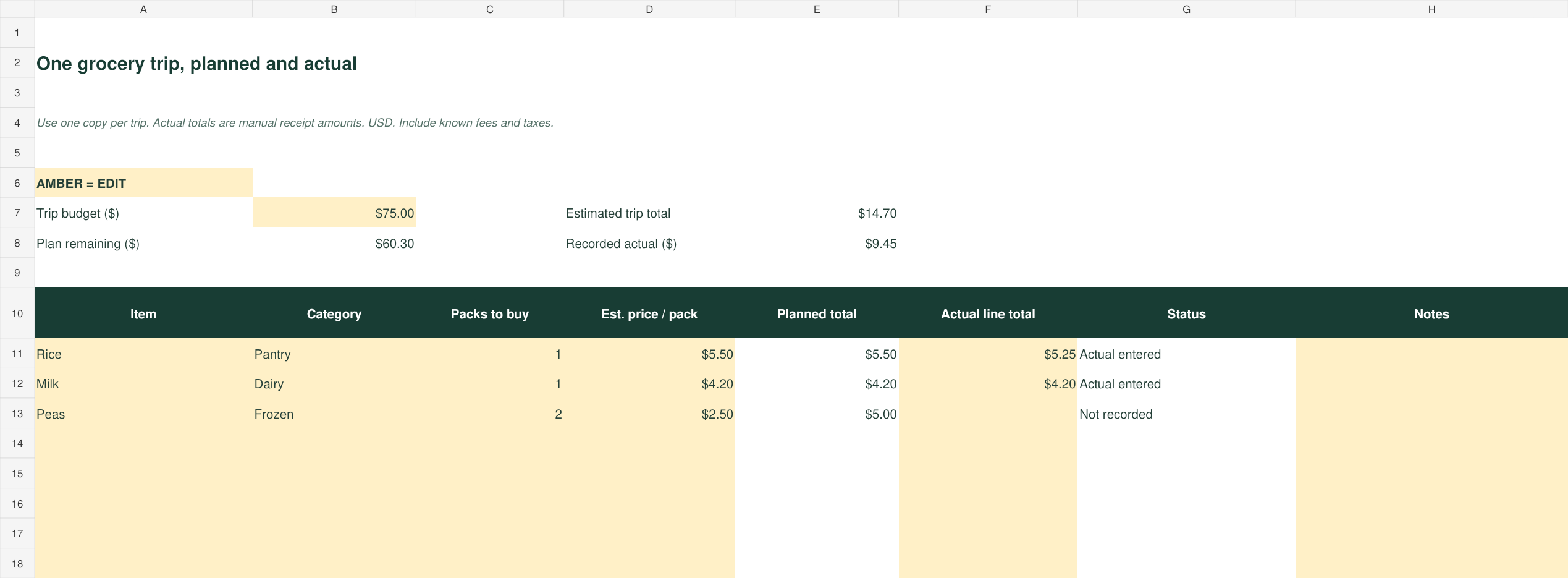
4. Build a shopping budget for one trip
Plan up to 40 line items using whole packs and estimated prices. Enter actual line totals from the receipt afterward. See budget minus planned costs and recorded actual spending. Blank actual entries remain unrecorded rather than being treated as confirmed zero spending.
5. Plan meals and leftovers around food you have
Use the seven-day plan to connect meals, pantry ingredients, missing items and leftovers. Copy missing items into Shopping manually. There is no recipe library or automated inventory update.
See the workbook before launch
View package comparison preview · View pantry preview · View shopping budget preview
What you receive
One .xlsx workbook, a five-page PDF containing a two-page quick-start guide and three printable worksheets, and the personal-household-use license. The worksheets cover a grocery trip, pantry check, and meals with leftovers.
Software and limits
Use a spreadsheet application that supports .xlsx formulas. Calculations and input changes have been checked in the authoring engine and after export/reimport. Native Excel and Google Sheets application behavior has not been independently tested. The PDF printables can be used without spreadsheet software.
No macros, subscriptions, bank connections or live retailer prices. Enter all prices, quantities and receipt totals yourself. Compare equivalent products and check net quantities, fees and quality. Lower unit prices do not guarantee lower overall spending. The files do not determine food safety or storage life, and no specific savings are promised.
License, delivery and support
Personal use within one household. You may edit the files and keep backup copies; you may not resell, redistribute or share the paid files outside your household. When checkout opens, payment and instant file delivery will be handled through the separate Payhip listing. For product questions, defects or access problems, email pocketinterval@gmail.com. Applicable consumer rights continue to apply.
Back to all planners · Plan groceries within a paycheck budget · Read the terms